
Is It Time for a Medical Alert System? 7 Signs Your Aging Parent May Need One
Is It Time for a Medical Alert System? 7 Signs Your Aging Parent May Need One
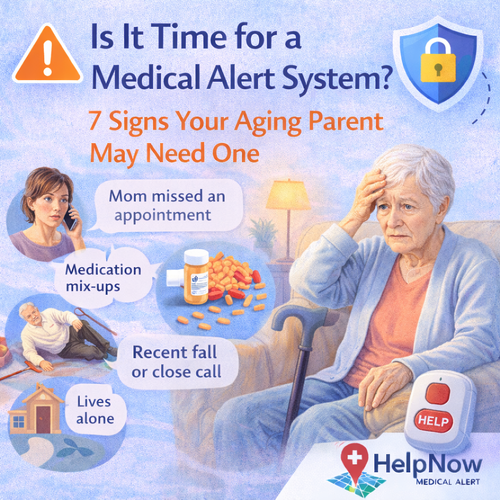
If you are an adult child helping an aging parent, you may be asking a hard question: is it time for a medical alert system?
Most families start researching medical alert systems after a fall, a close call, or a moment that shifts confidence. The good news is that you do not have to wait for a major emergency. There are clear, practical signs that a medical alert system can help your parent stay safe and independent.
Why adult children choose medical alert systems
Adult children are often balancing work, kids, and distance. Even when you check in daily, you cannot be there 24/7. A medical alert system provides a dependable backup plan so your parent can get help fast when you are not immediately available.
- Faster access to help during falls or sudden health issues
- More confidence for seniors who want to stay independent
- More peace of mind for families and caregivers
7 signs your aging parent may need a medical alert system
1. They have fallen recently, even if they seem fine
A fall is one of the clearest indicators that future risk is higher. Even minor falls can lead to fear of falling, reduced activity, and declining strength. A medical alert button helps your parent get help quickly if another fall happens.
2. They live alone or spend long periods alone
If your parent lives alone, the time between an emergency and being found can be longer. A medical alert system reduces reliance on chance, like a neighbor noticing something is wrong.
3. You notice balance issues, unsteadiness, or new mobility challenges
Small changes matter: using furniture to steady themselves, walking slower, hesitating on stairs, or avoiding showers. These are often early warning signs. A medical alert system adds a safety net while you address fall risks at home.
4. They have a medical condition that could cause sudden symptoms
Conditions like heart disease, diabetes, COPD, dizziness, or medication side effects can increase the chance of urgent events. When seconds matter, pressing a button and connecting to trained monitoring staff can make a real difference.
5. They have trouble hearing the phone, reaching it, or using it under stress
In a real emergency, many people cannot find a phone, unlock it, or explain what is happening. A wearable button is designed for fast use when a person is scared, in pain, or disoriented.
6. You are a long distance caregiver
If you live in a different city or state, a medical alert system is a straightforward way to reduce risk. It creates a plan for what happens when your parent needs help and you cannot get there immediately.
7. They are becoming more forgetful or making unusual decisions
Mild cognitive changes can lead to safety problems like leaving the stove on, forgetting to lock doors, or not calling for help. A medical alert system supports independence while your family monitors changes and plans next steps.
At home vs mobile medical alert systems
Choosing the right system depends on your parent’s lifestyle. Many adult children start with an at home system, then add mobile coverage if their parent goes out regularly.
At Home Systems
- Best for seniors who spend most time at home
- Two way voice connection to trained monitoring staff
- Backup battery for continued operation during power outages
- Wearable pendant or wrist button
Mobile Systems
- Best for active seniors who leave the house
- Battery operated by design
- Works on the go with cellular coverage
- Often includes GPS location features
Fall Detection Option
- Can place an automatic help call after a detected fall
- Useful if your parent may not be able to press the button
- Recommended for higher fall risk seniors
Compare available options here: Compare Help Now Medical Alert Systems.
How to talk to your parent about a medical alert system
Many seniors resist the idea at first. The best approach is to focus on independence and control, not fear.
- Use supportive language: “This helps you stay independent at home.”
- Frame it as a backup plan: “Like a seatbelt, you hope you never need it.”
- Offer a trial mindset: “Let’s try it for a month and see how you feel.”
- Explain how it works: “One button connects you to trained help anytime.”
Checklist for adult children: next steps this week
Safety audit
- Remove trip hazards and loose rugs
- Add brighter lighting and night lights
- Confirm bathroom grip and non slip surfaces
Care plan
- Update emergency contacts and medical info
- Set weekly check in schedule
- Discuss what to do after a fall
Medical alert plan
- Select at home or mobile system
- Consider fall detection if risk is high
- Test weekly and wear daily
Help Now makes it simple to protect independence
If you are seeing one or more of these signs, you are not overreacting. You are planning. A medical alert system helps your parent stay independent while ensuring they can get help fast in an emergency.
If you are deciding between at home and mobile coverage, start with your parent’s daily routine and where they spend most of their time.
Compare Medical Alert SystemsDeciding which system?
Compare all seven side by side, or answer a few quick questions and we will rank them for your situation. You can also call (866) 743-7348 and talk to a person.